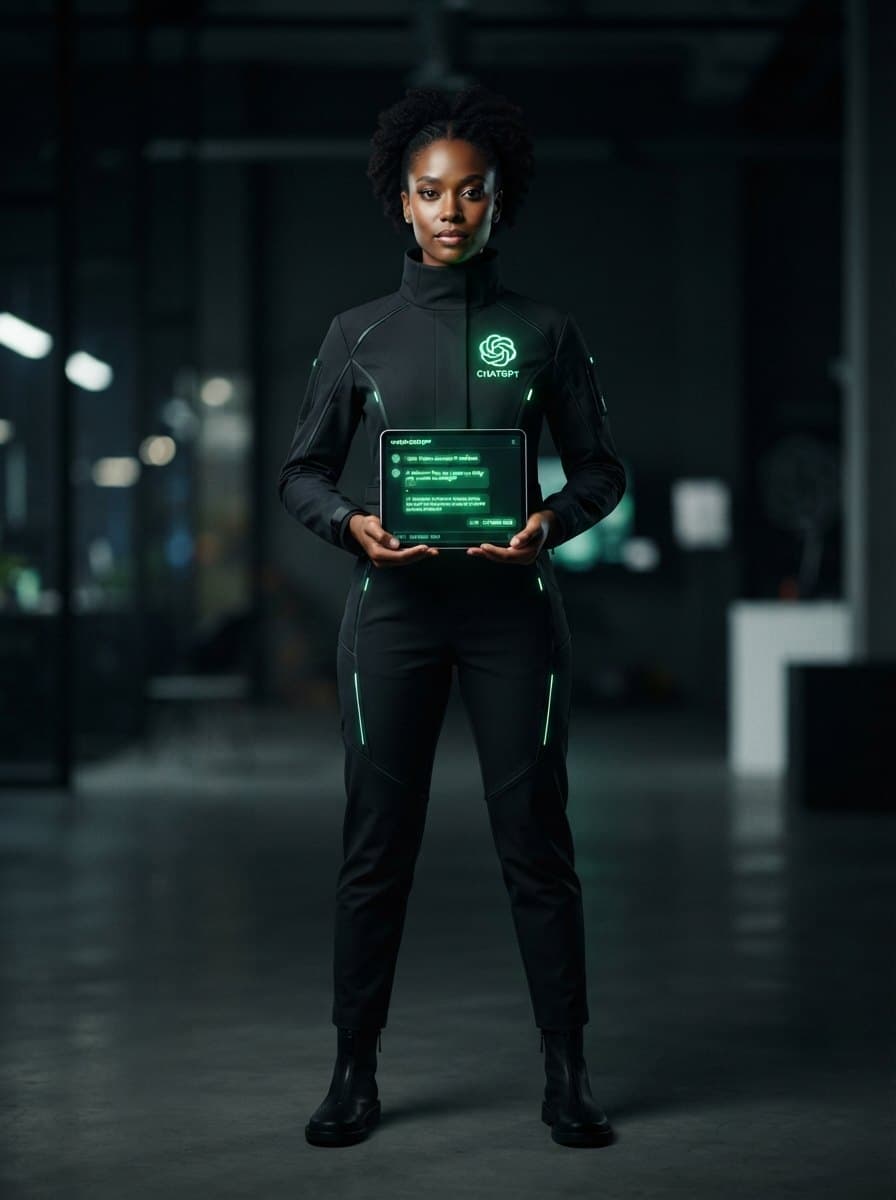
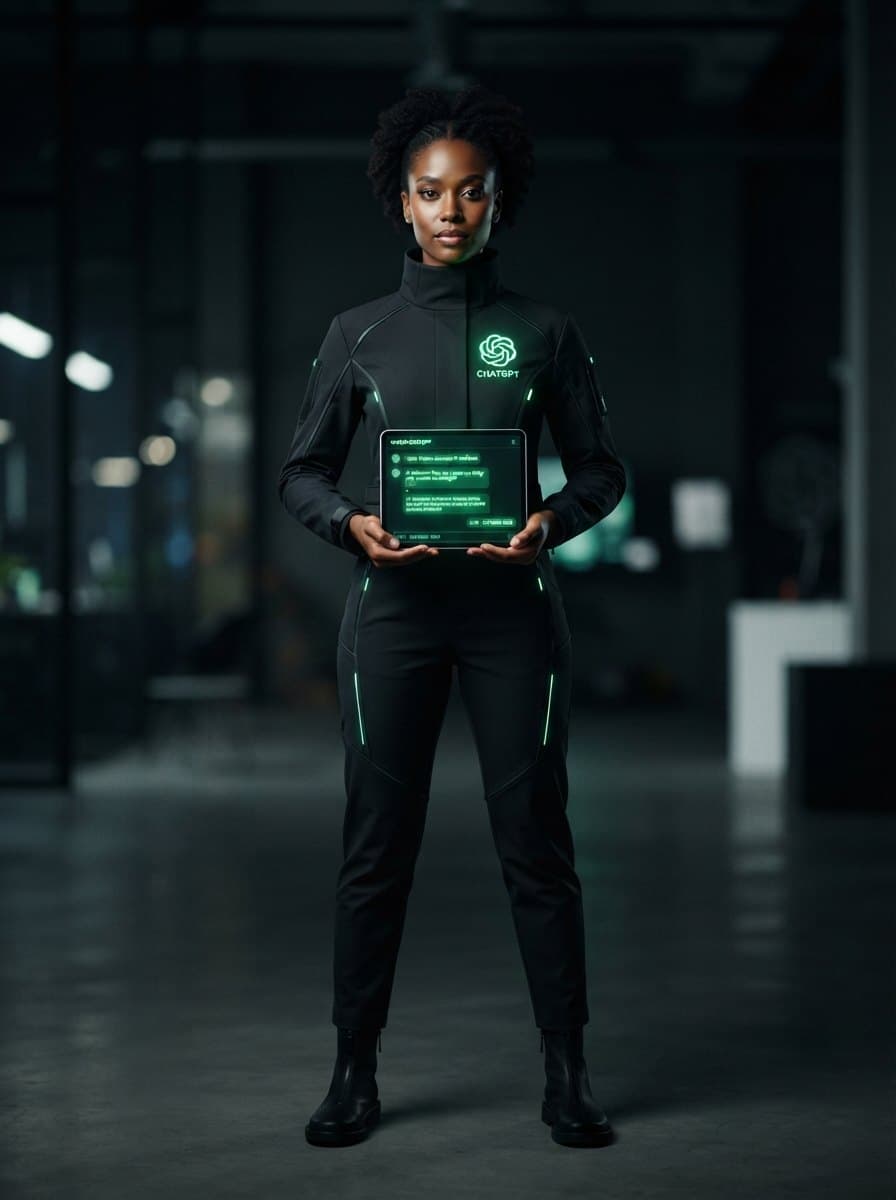
ChatGPT Costume
The ultimate conversation starter—literally.
Dressing up as ChatGPT is the ultimate modern tech gag for Halloween, office parties, or conventions. This creative DIY costume brings the famous chatbot to life using a sleek dark-mode color scheme, the iconic green spiral logo, and a customizable chat bubble prop. It is a highly interactive look that is guaranteed to get people 'prompting' you all night.
- Difficulty
- Easy
- Time
- ~45 min
- Budget
- $15–40
Try it on
See yourself as ChatGPT
One clear photo of yourself; we render you in this costume — face untouched, full body, about 20 seconds.
One render, $1. No account needed — if it fails you're not charged. Pricing.
Your photo is sent to Google's Gemini API to make the render and isn't used for training. Renders are AI-generated and labelled.
Want a different costume on this photo, or a whole group in costume? Open the Try-On Studio.
What you need for a ChatGPT costume
Short on time? Buy it ready-made
Spirit Halloween sells the complete ChatGPT costume — one box instead of 5 pieces.
Black long-sleeve shirt
A solid black crewneck shirt or turtleneck to represent the app's popular dark mode interface.
DIY: Any plain black t-shirt or hoodie from your closet works perfectly.
Black pants
Simple black jeans, leggings, or joggers to complete the sleek, minimalist base look.
DIY: Use any dark pants you already own.
Foam presentation board
A sturdy white or grey foam board cut into a large rectangle to serve as the chat screen.
DIY: Cut open a large cardboard shipping box and paint it grey or white.
Green LED strip lights
Battery-powered green fairy lights or EL wire to give the screen a futuristic, active-processing glow.
DIY: Use bright green highlighter or neon green tape around the border instead.
Printed OpenAI logo
A printed version of the green and white OpenAI spiral logo to paste at the top of your board.
DIY: Draw the spiral logo yourself using a green marker on white paper.
Rather not assemble it? See ready-made ChatGPT costumes at Spirit Halloween ↗
How to put it together
- 1
Put on the solid black long-sleeve shirt and matching black pants to create a clean, dark-mode background.
- 2
Cut the foam board into a large rectangle, rounding the corners slightly to mimic a smartphone screen or a digital tablet.
- 3
Paste the green OpenAI spiral logo at the top center of the board to clearly identify the brand.
- 4
Use a thick black marker to write a funny prompt and response on the board, such as 'User: Give me a costume idea.' followed by 'ChatGPT: You are looking at it.'
- 5
Attach two loops of black ribbon or webbing to the back of the foam board using strong tape so you can wear it over your shoulders like a sandwich board.
- 6
Outline the edges of the board with the battery-powered green LED lights, securing them with clear tape, and tuck the battery pack into your pocket.
Makeup & hair
Keep your hair sleek and modern. Optional: Apply a touch of metallic silver eyeshadow or a green glow-in-the-dark face paint accent to lean into the futuristic robot aesthetic.
ChatGPT for couples, groups, kids & more
- couples
- One partner dresses as ChatGPT (carrying the response board) and the other dresses as the User (holding a giant cardboard 'Send' button and a prompt bubble).
- group
- A tech-themed group where members dress as ChatGPT, a '404 Error: Costume Not Found' page, and a classic Wi-Fi symbol.
- kids
- A simplified version featuring a black t-shirt with a printed green OpenAI logo and a small cardboard chat bubble headband.
- Plus size
- The sandwich-board style screen can be easily adjusted with longer ribbon straps for a comfortable, custom fit over any black clothing.
- pet
- A small green felt OpenAI spiral logo attached to a black dog harness or cat sweater.
Tips
- Keep the prompt and response text large, bold, and easy to read from a distance.
- Bring a dry-erase marker to the party so friends can write their own custom 'prompts' on your board throughout the night.
- Tuck the LED battery pack securely into your pocket or tape it to the back of the foam board to keep your hands free for drinks and snacks.
ChatGPT costume FAQ
- How do I make the ChatGPT logo?
- You can easily print the green OpenAI spiral logo from a computer, cut it out, and glue it to your shirt or foam board. Alternatively, draw it on white paper with a green marker.
- What should the chat bubble say?
- Keep it funny and relevant! A great option is: 'Prompt: Write a last-minute costume guide.' followed by 'Response: Just wear black and carry a cardboard sign.'
- Is this costume comfortable for a party?
- Yes, because the base is just comfortable black clothing. The foam board is lightweight and can be easily slipped off when sitting down.
Did you know? ChatGPT set a record for the fastest-growing consumer application in history, reaching 100 million monthly active users just two months after its launch in November 2022.